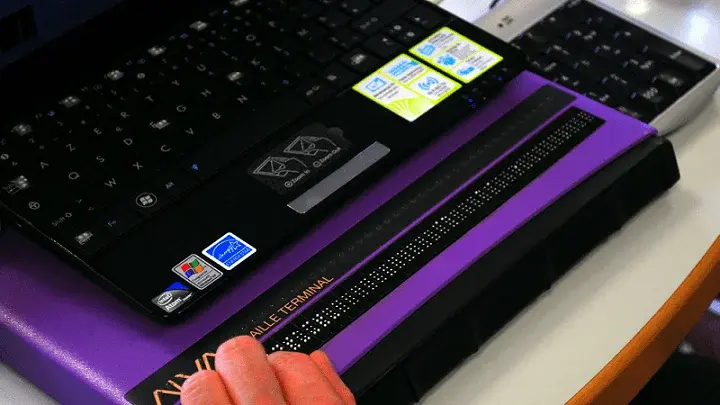
Editor's note: Michael Taylor is blind and shares first-hand accounts of accessibility barriers in everyday digital experiences.
The checkout stage of online shopping is often where things go wrong for me. I can have a smooth experience browsing product listings and adding items to my cart, only to run into significant barriers at checkout that stop me completely and sometimes force me to abandon the purchase. In a previous post, I covered some of the shopping cart accessibility barriers I encounter before even reaching this point. This blog focuses on what happens next: the checkout forms themselves.
Typing Suggestions
Many online retail checkout interfaces now populate suggestions as users fill in their information. The most common example is address input. As you begin typing a shipping or billing address, potential completions appear below the field. Selecting one automatically fills in the remaining fields.
I run into a lot of accessibility problems with this pattern. Screen readers often do not announce the address suggestions at all, which makes the feature useless to me. Sometimes the screen reader will read the first suggestion as I type, but if I try to move focus to the list, the suggestions disappear and focus returns to the empty text field. That makes it impossible to select anything beyond the first option.
Other times I can navigate through the suggestions list and make a selection, but I cannot hear what gets entered in the fields afterward. The screen reader announces terms like "Null" or "Blank" as I move through the form, even though the fields are visually populated. Without being able to verify the address before moving on, I have no confidence in what I am submitting.
Labeling Issues
Labeling problems can derail a checkout experience in several ways.
If text fields are not properly labeled in the site's code, the screen reader will not announce the field name. I have no way of knowing what information belongs there. This is a basic but common issue across retail checkout forms.
Most retail checkouts also require shoppers to agree to terms of service or a privacy policy before placing an order, usually through a checkbox near the "Place Order" button. If that checkbox is not labeled correctly, screen readers either skip it entirely or report its state inaccurately. In either case, I cannot complete the purchase.
A third labeling issue involves the order review screen. Products are usually displayed above the cost breakdown and total, but some sites now show only the product image with no text label or description in the code. Without that label, the screen reader cannot announce what the item is. I prefer to review my full order before submitting, and this makes that impossible.
Error Notifications
Checkout involves entering a lot of information, and mistakes happen. The problem is how errors get communicated.
When something is incomplete or invalid, there is usually a visual indicator: a symbol beside the field, a color change, or a pop-up message pointing to the problem. Screen readers rarely announce these visual changes. I end up stuck at a step with no indication of what went wrong or where.
Finding the error becomes a slow, clunky process of moving through each field manually. For a sighted user, the visual cues make it a matter of seconds. For me, it can take much longer and often ends in frustration.
Checkout is consistently the part of online shopping where I run into the most serious barriers. Typing suggestions, form labels, and error handling are all areas where small gaps in implementation add up to a broken experience. I hope this gives site developers a clearer picture of what these issues look like from a screen reader user's perspective, and where to focus when evaluating e-commerce accessibility.

This is a guest post from our marketing contributor, Michael Taylor. It reflects his opinions and experiences. Read more about Michael and some other posts on his experience online here.